
AUTOFORM for Sheet Metal Forming: Simulate Reality Before You Stamp It
An introduction to AUTOFORM sheet metal forming simulation — formability, thinning, splits and wrinkles, springback and how forming reality analysis de-risks die design.
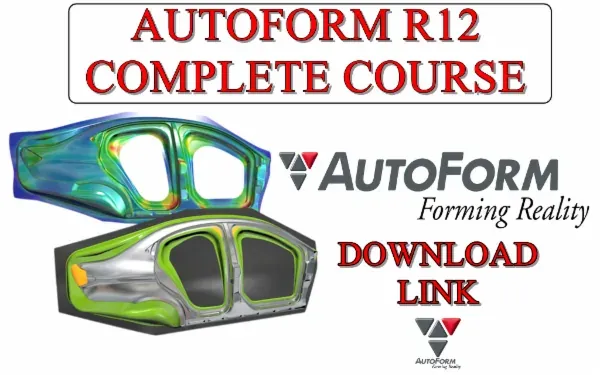
A stamping die that splits parts or springs them out of tolerance is an expensive mistake. AUTOFORM lets you form the part virtually — testing “forming reality” on the computer — so problems are found and fixed in software, not on a finished die in the tryout press. For anyone in sheet metal die design, it’s a career-defining skill.
Why forming simulation matters
Sheet metal doesn’t simply bend to shape; it stretches, thins, flows and springs back. Whether a panel forms cleanly depends on blank shape, draw beads, binder pressure, tooling geometry and material behaviour — a web of variables no one can fully judge by eye. AUTOFORM models that physics so you can see the outcome before committing to steel.
What AUTOFORM predicts
A forming study surfaces the failure modes that plague stamping:
- Splits and cracks — from excessive thinning and over-stretching.
- Wrinkles — from insufficient tension or compression in the flange.
- Thinning and thickening — the strain distribution across the panel.
- Springback — how the part relaxes after the tools open, and the dimensional error it creates.
- Formability — reading the forming limit diagram (FLD) to see how close each region is to failure.
The method-planning workflow
Forming simulation is where die method planning comes alive:
- Define the binder and addendum and develop the draw form.
- Set material and thickness, and choose a blank shape.
- Add draw beads and set binder force to control metal flow.
- Run the forming simulation and read the FLD, thinning and wrinkle results.
- Iterate the tooling geometry until the part forms safely.
Each virtual iteration replaces a costly physical die modification.
Springback compensation
Even a part that forms without splits can be useless if it springs out of tolerance. AUTOFORM’s springback prediction lets you measure the deviation and then compensate the tooling geometry so the sprung part lands on nominal. Mastering this loop is what makes a die “right the first time.”
How it complements die design
AUTOFORM isn’t a replacement for die design knowledge — it’s the validation layer on top of it. If you already understand press tools, blanking, drawing and progressive dies, forming simulation lets you prove your method before manufacturing. Together they make you the kind of engineer stamping shops fight to hire.
Getting started
Begin with single forming operations, learn to read the FLD confidently, then progress to full draw development and springback compensation. Practise on real automotive-style panels, and treat each simulation as a chance to connect a result on screen to a decision on the die.
Frequently asked questions
- What is AUTOFORM used for?
- AUTOFORM simulates sheet metal forming and stamping so you can predict splits, wrinkles, thinning and springback, and validate a die before it is manufactured.
- Who should learn AUTOFORM?
- Die designers, method-planning engineers and simulation engineers in automotive and appliance stamping. It pairs naturally with press tool and sheet metal die design skills.
- Does forming simulation replace die tryout?
- It dramatically reduces tryout iterations by catching problems in software, but it complements rather than fully replaces physical validation.