
Learning Siemens NX CAD: The Foundation Every Tool & Mould Designer Needs
Why Siemens NX CAD is the ideal foundation for mould, die and product design careers — sketching, features, assemblies, drafting, and how to progress to advanced tooling.
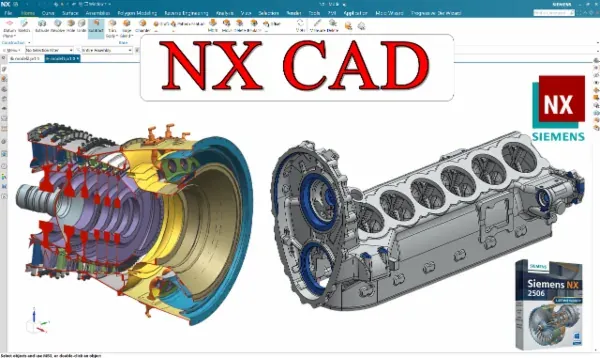
Before you can design a mould, a press tool or a complex product, you need to be genuinely fluent in CAD. Siemens NX is one of the most powerful platforms in the manufacturing world, and it is the foundation the rest of a design career is built on. This guide explains what to learn and why NX is worth the investment.
Why Siemens NX?
NX is used across automotive, aerospace and tooling because it handles everything from parametric solid modelling to advanced surfacing, mould design and manufacturing in one environment. Learning NX means you are not limited to product modelling — the same software carries you into mould, die and CAM work as your career grows.
Build modelling fundamentals in the right order
Strong CAD is a stack of skills, each depending on the one below it:
- Sketching — fully constrained, intent-driven profiles are the base of every model.
- Solid features — extrude, revolve, sweep, blend, pattern; the vocabulary of modelling.
- Curves and surfaces — needed for real-world parts that aren’t just prismatic blocks.
- Assemblies — mating components, managing references and building mechanisms.
- Drafting — production drawings with GD&T that a shop can actually manufacture from.
Working through these across dozens of structured lectures — with practice files at each step — is what turns commands into a workflow you can rely on under deadline.
Practise on real parts, not just primitives
The difference between “I watched a tutorial” and “I can model this” is reps on real geometry. Guitar bodies, curved product forms and progressively harder practice models force you to combine features, fix failures and think about design intent — exactly the muscles you’ll use in a job.
Use NX as a launchpad
A great CAD foundation quietly previews where you’re heading. As your modelling matures, start touching the advanced areas:
- Advanced product design — surfacing and complex forms.
- Injection mould design — core/cavity thinking on real components.
- Reverse engineering — turning scan/STL data into clean CAD.
- Die casting (HPDC) and press tool basics.
Seeing these early tells you which specialisation excites you, so you can choose a focused path next.
From foundation to specialisation
Treat NX CAD as the investment that makes every later course faster. Once sketching, features, assemblies and drafting are second nature, mould design and die design stop feeling like new software and start feeling like new applications of skills you already own. That is the fastest, least frustrating route into a design engineering career.
Frequently asked questions
- Should I learn Siemens NX before mould or die design?
- Yes. A solid CAD foundation — sketching, features, assemblies and drafting — makes mould and die design far easier. This course is built as that base and even previews mould, press tool and reverse engineering work.
- Is Siemens NX hard to learn?
- NX is deep, but structured practice makes it approachable. Starting from part modelling and building up feature by feature across 38 lectures gives you a confident, job-ready workflow.
- Does NX experience help with other CAD software?
- Absolutely. The modelling logic — sketch, constrain, feature, assemble, detail — transfers to SolidWorks, CATIA and Creo, so NX skills are a strong general CAD foundation.